SCENE CONTEXT
Create a 15-second, 16:9, multi-shot opening-title montage for an original slice-of-life racing anime. Present a rapid collection of unrelated hero images, emotional character moments and high-speed racing spectacle.
Each cut jumps freely to a completely different location, weather condition, time of day and emotional tone. The montage follows visual rhythm and character identity rather than narrative continuity. Treat every shot as an independent highlight from an imagined anime series.
ACTIVE REFERENCES
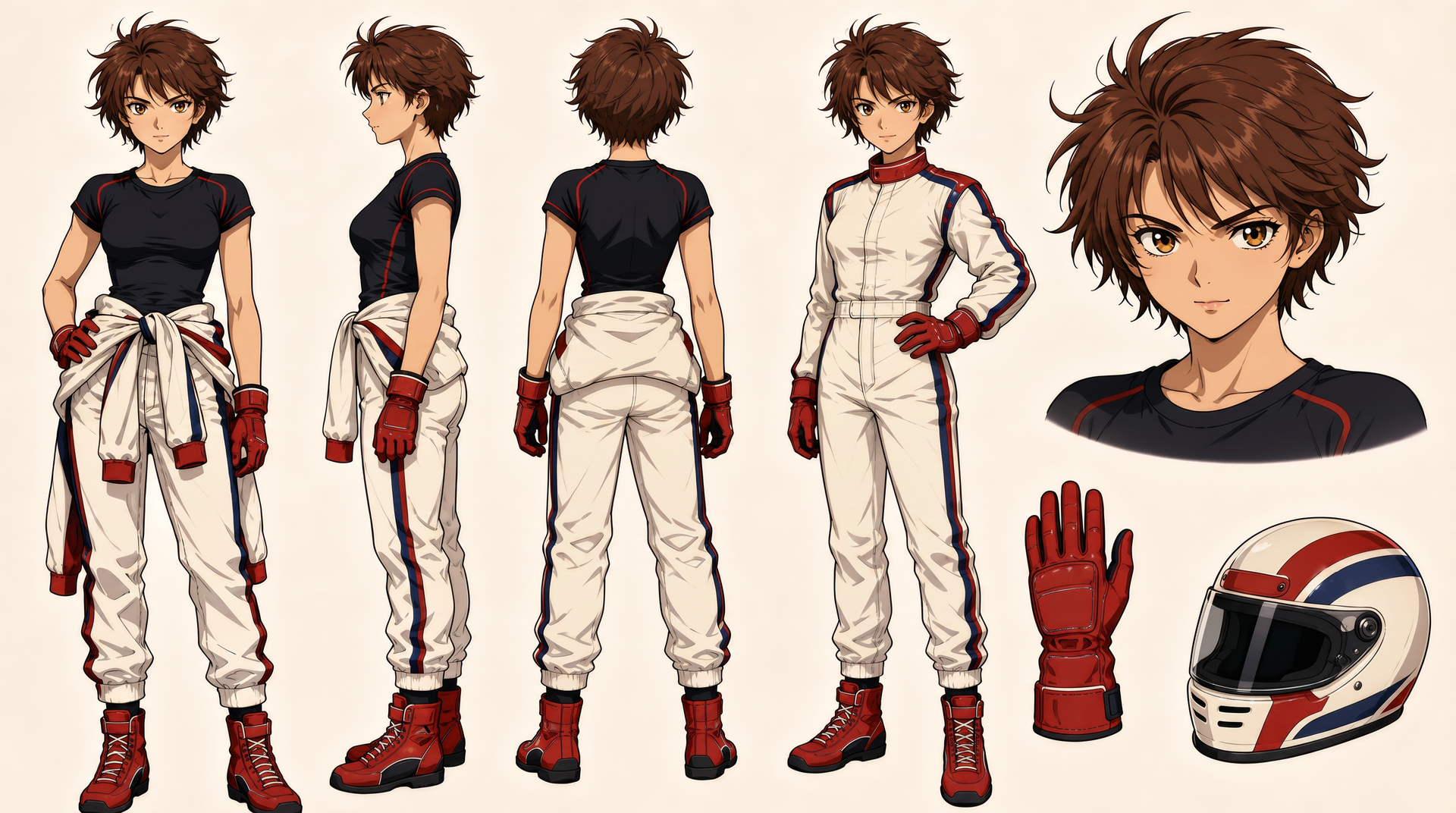
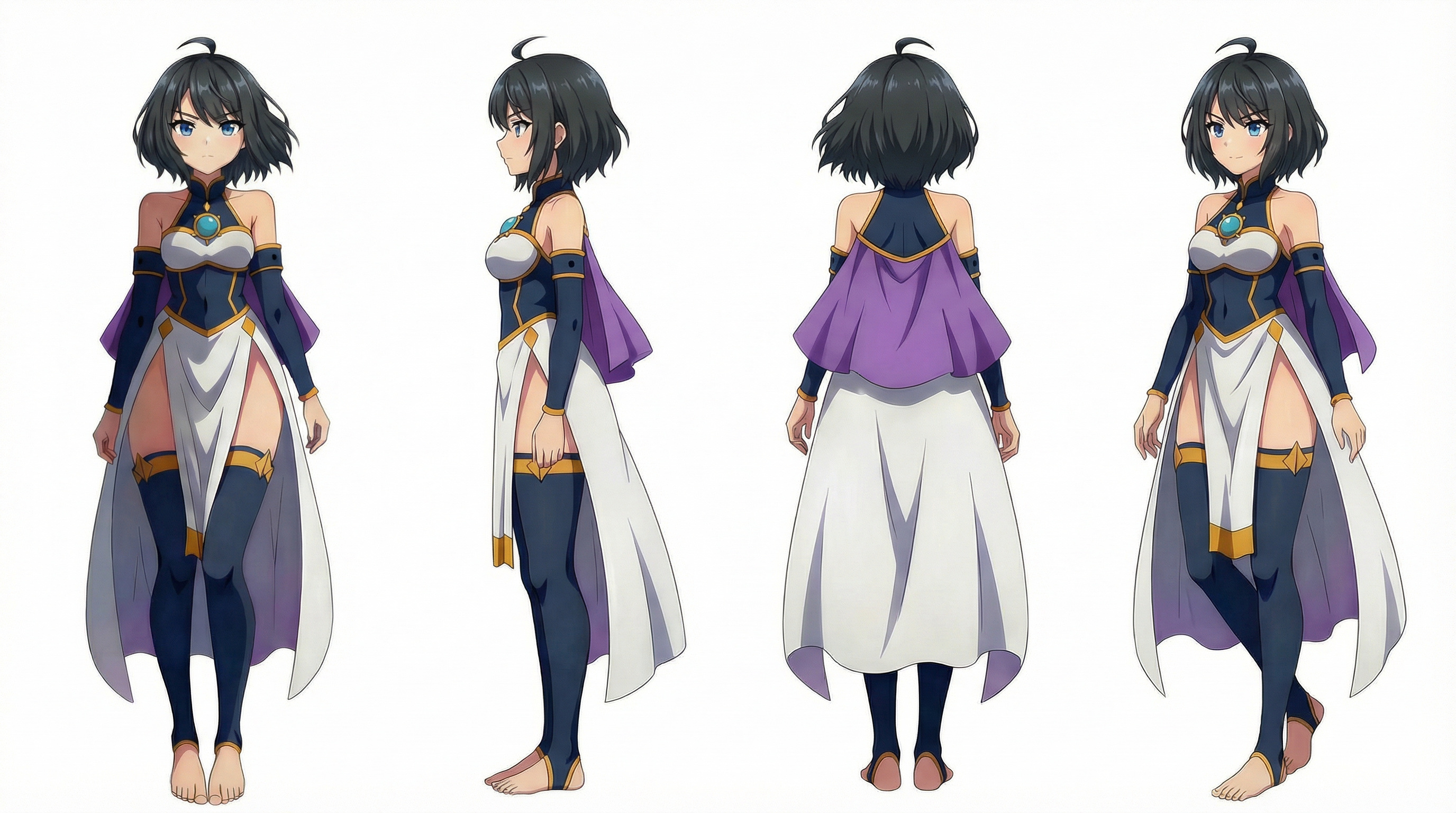
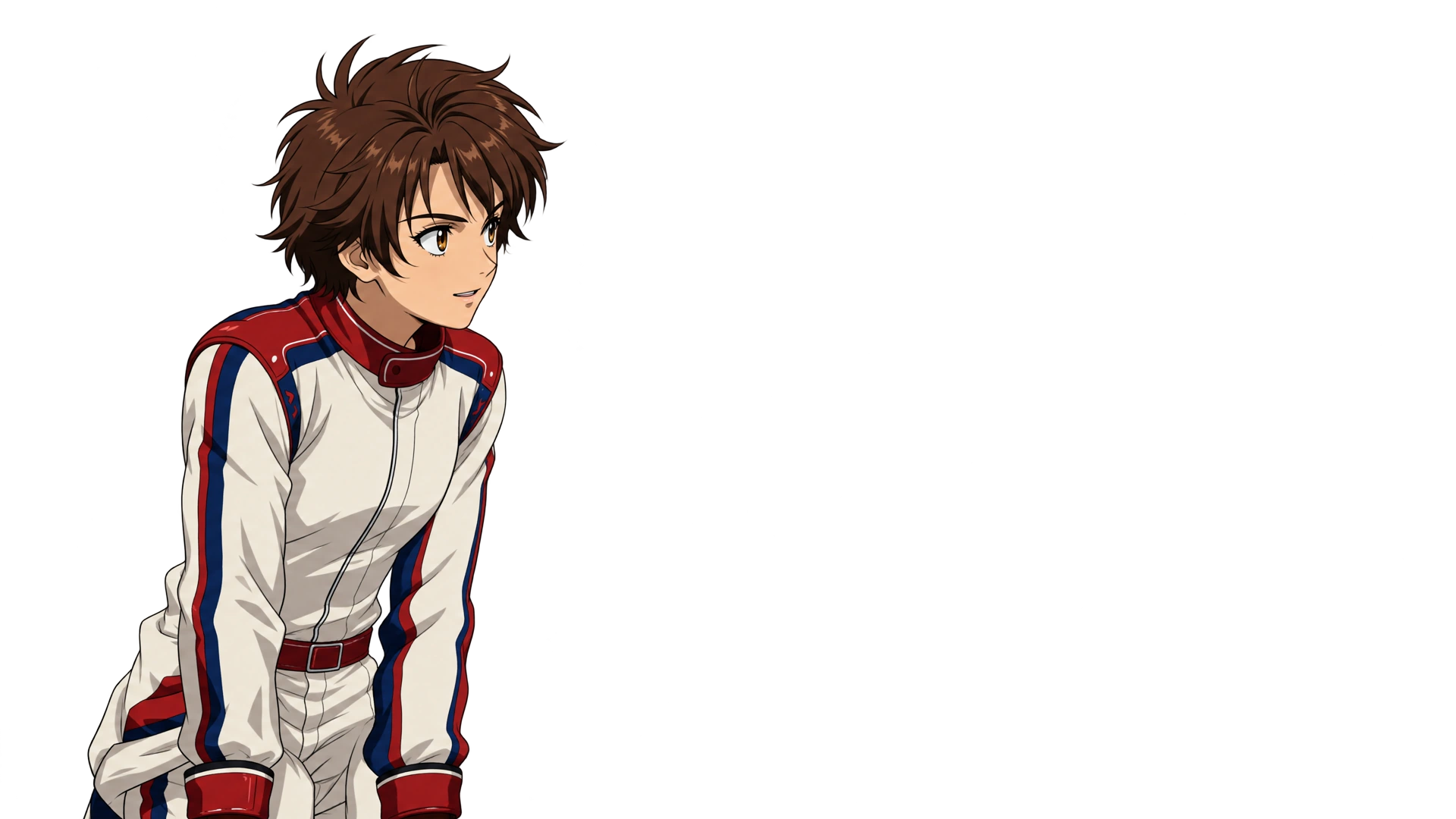
@image1 is the sole design authority for the lead driver. Match her face, short tousled chestnut hair, amber eyes, compact athletic proportions, black team shirt, cream racing suit, red gloves, racing boots and helmet exactly.
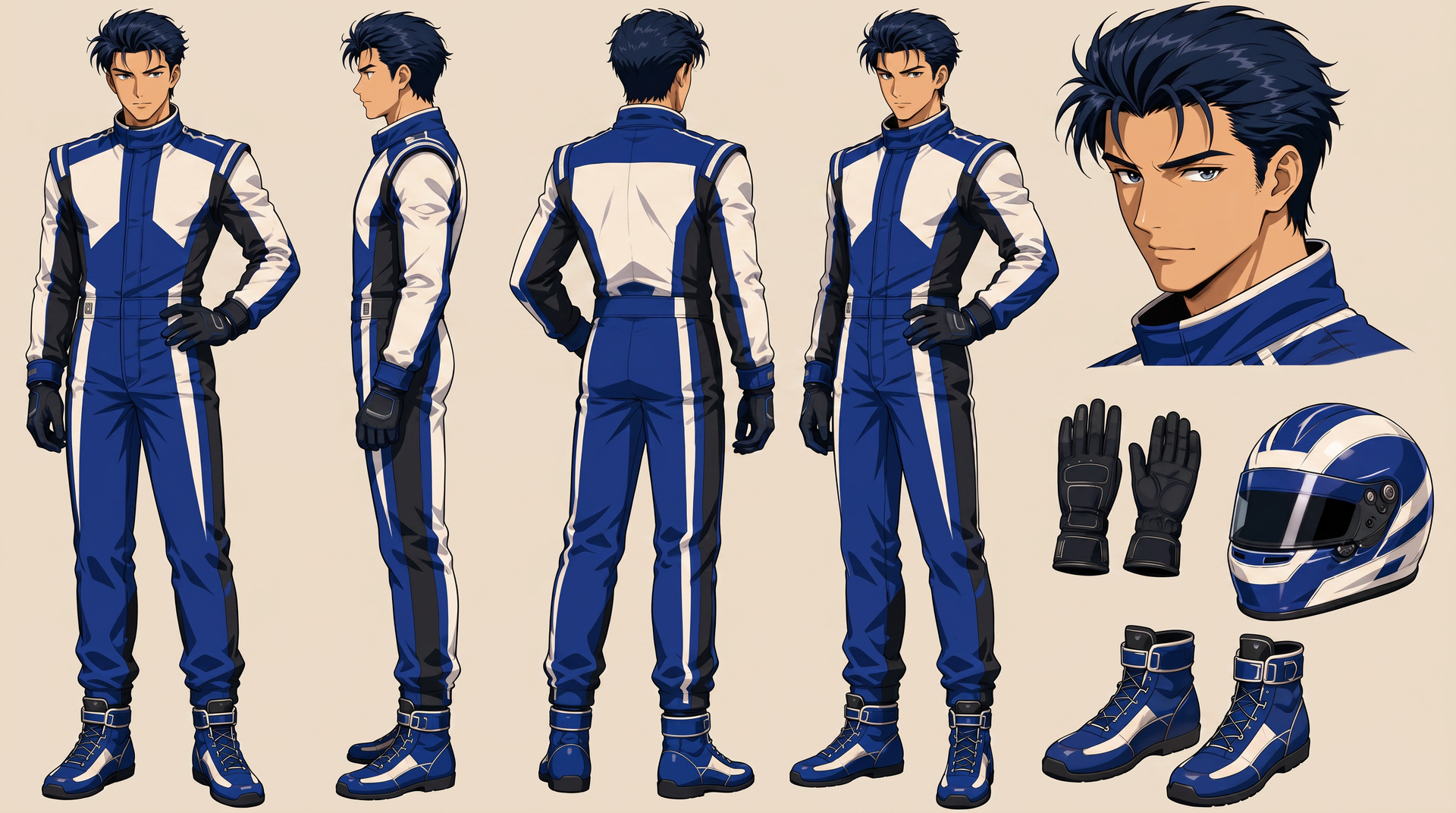
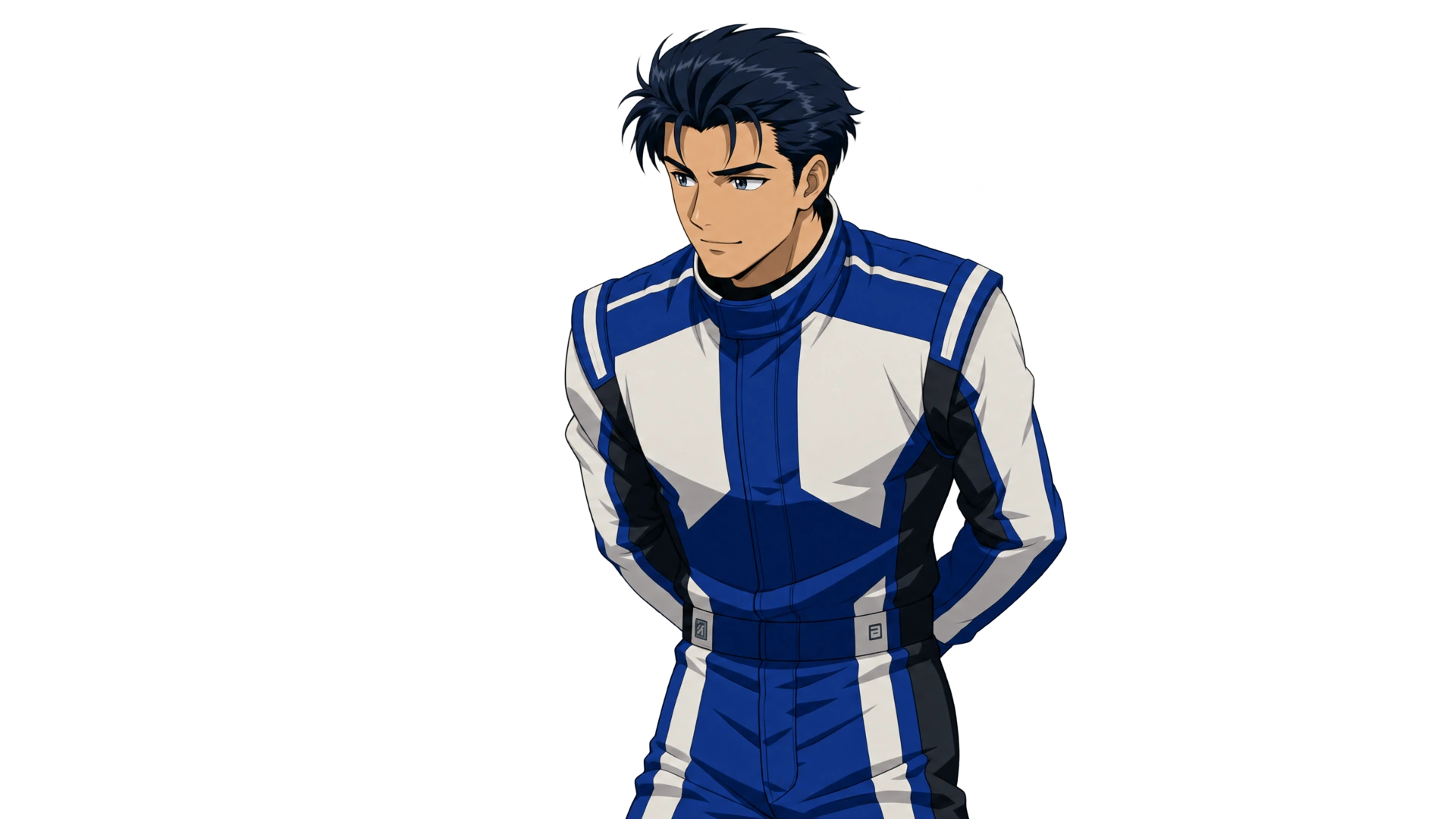
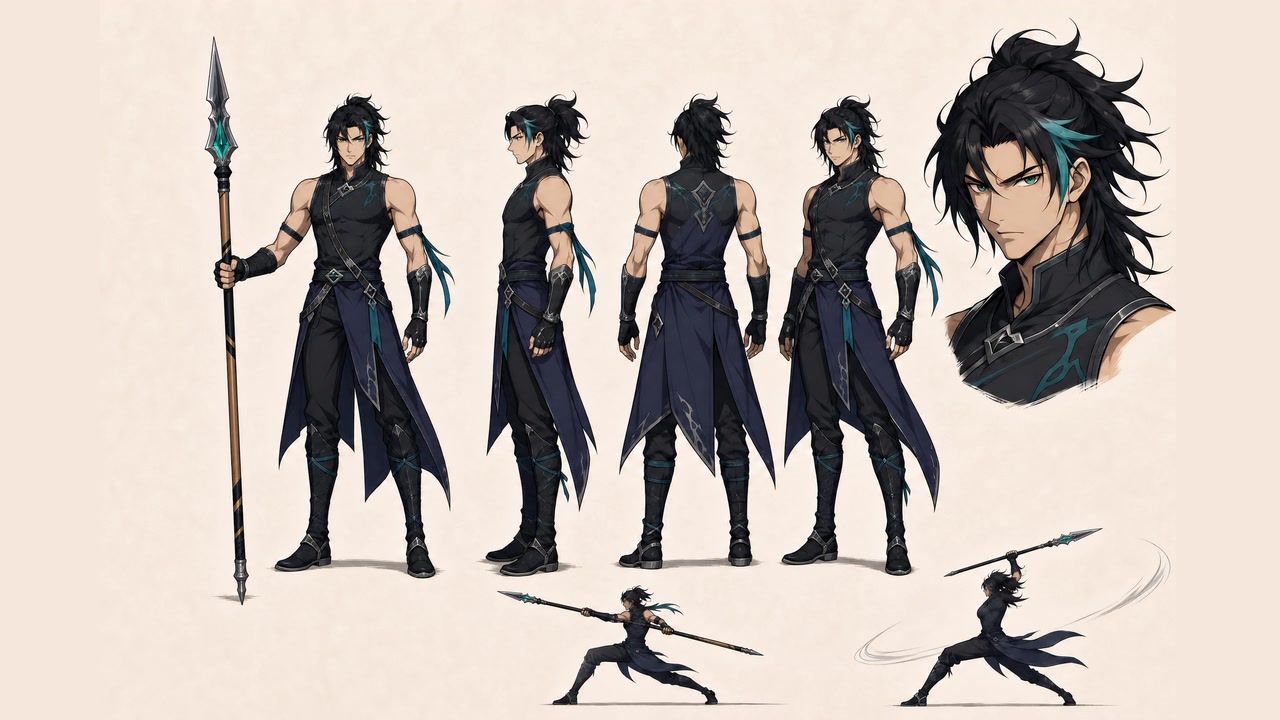
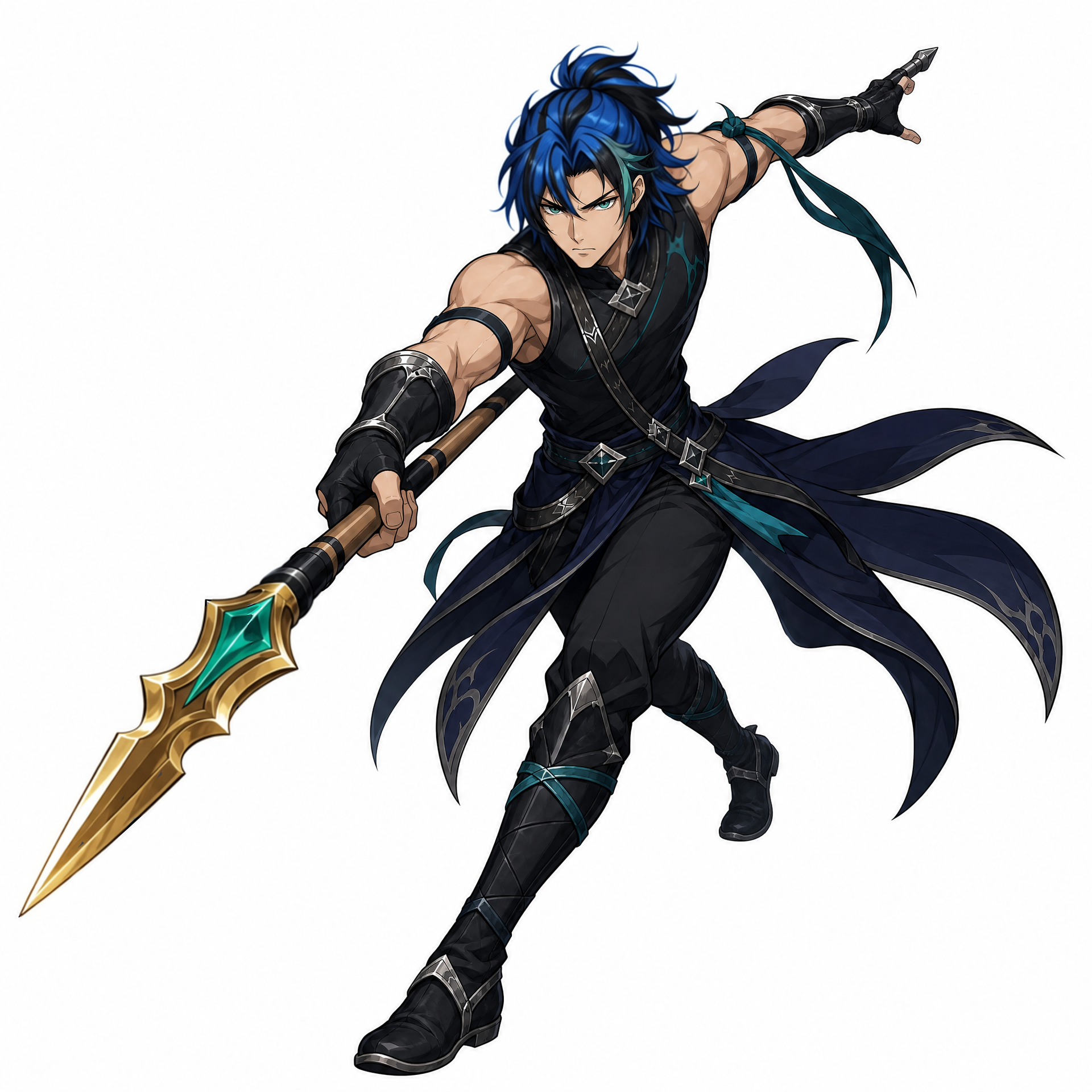
@image2 is the sole design authority for the rival driver. Match his face, swept-back midnight-blue hair, gray eyes, tall lean proportions, cobalt-and-white racing suit, black gloves, racing boots and helmet exactly.
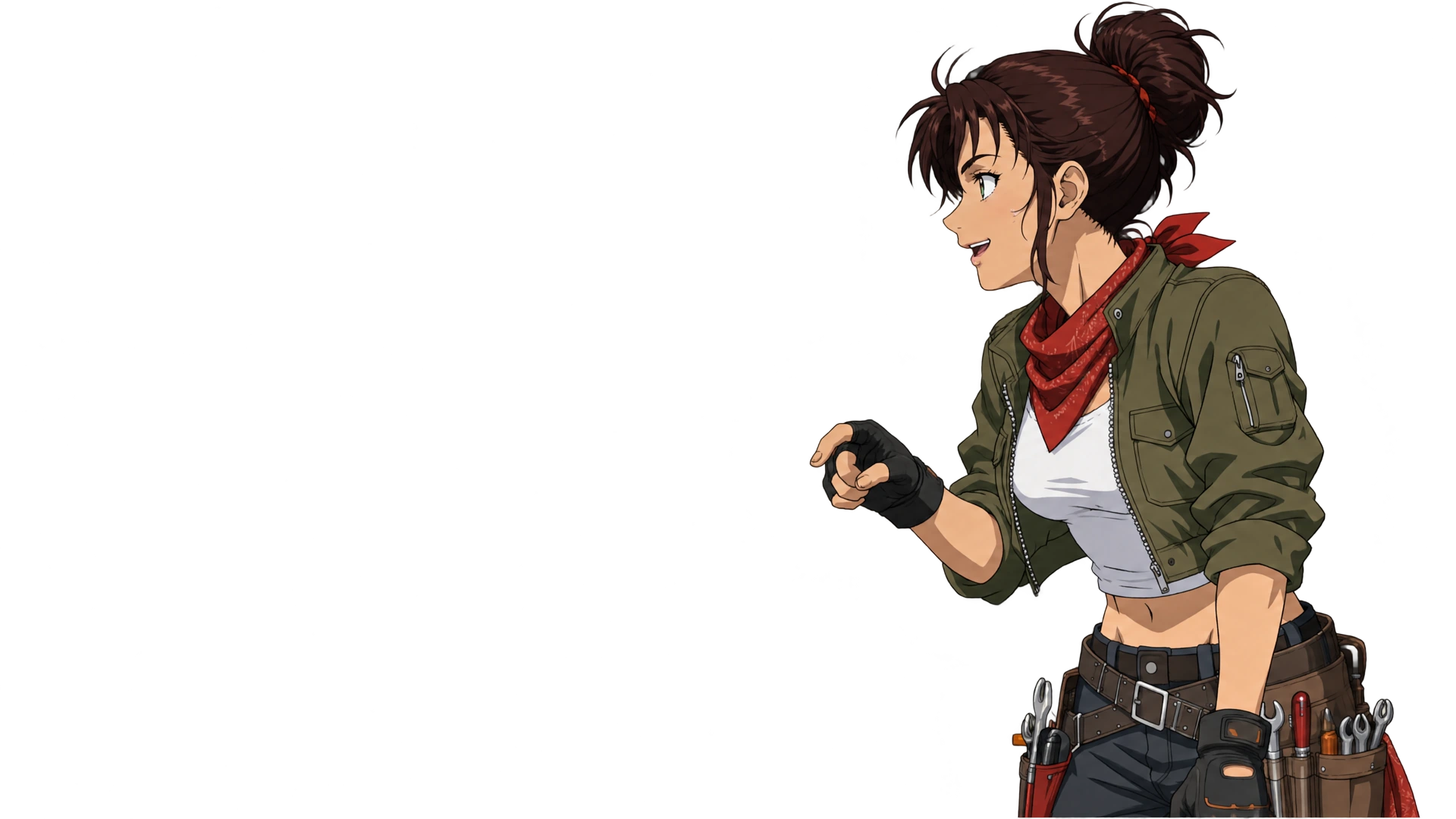
@image3 is the sole design authority for the chief mechanic. Match her face, auburn messy bun, teal eyes, athletic proportions, cropped olive jacket, white shirt, utility trousers, tool belt, fingerless gloves, boots and red bandana exactly.
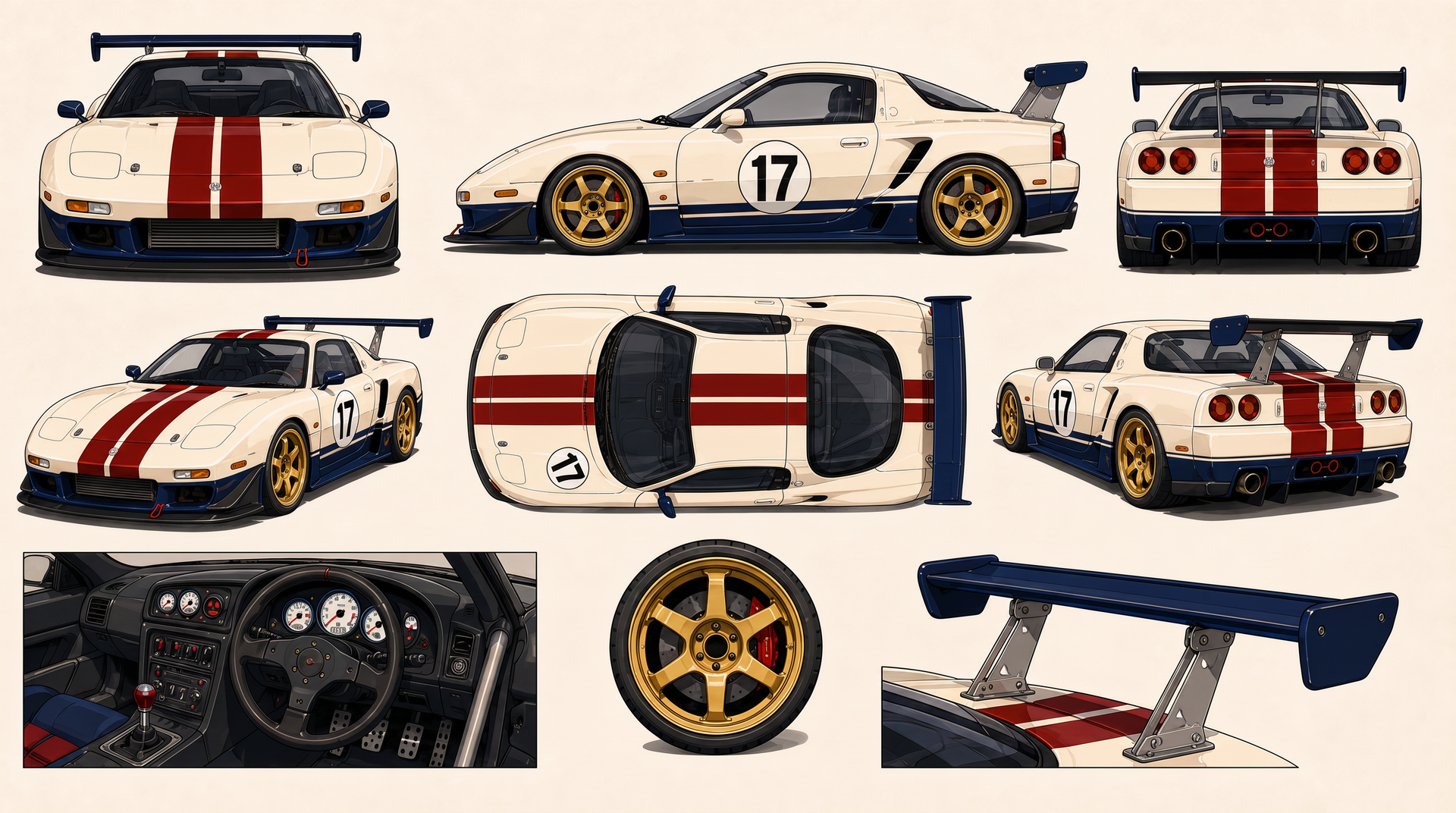
@image4 is the sole design authority for the lead driver’s number 17 car. Preserve its pearl-ivory body, crimson stripes, navy aero panels, gold wheels, rounded body shape, cockpit and rear wing.
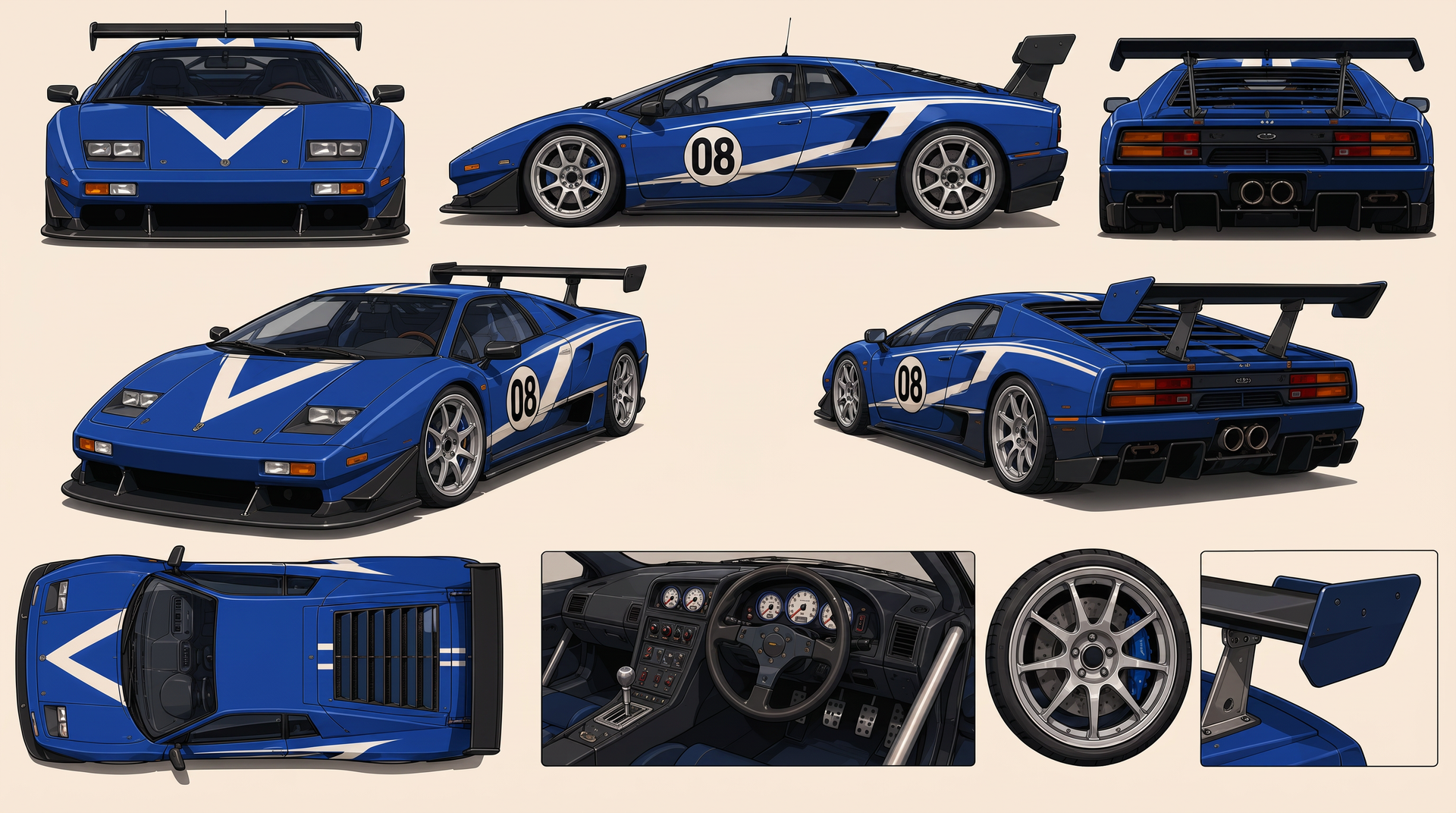
@image5 is the sole design authority for the rival’s number 08 car. Preserve its cobalt-blue body, white angular graphics, charcoal aero panels, silver wheels, wedge-shaped body, cockpit and rear wing.
All five references belong to the same premium theatrical OVA anime world.
FORMAT MODE
Timed multi-shot opening montage. Each cut is an independent hero image. Locations and events deliberately change without narrative transitions.
0.0s–1.8s — CUT 1
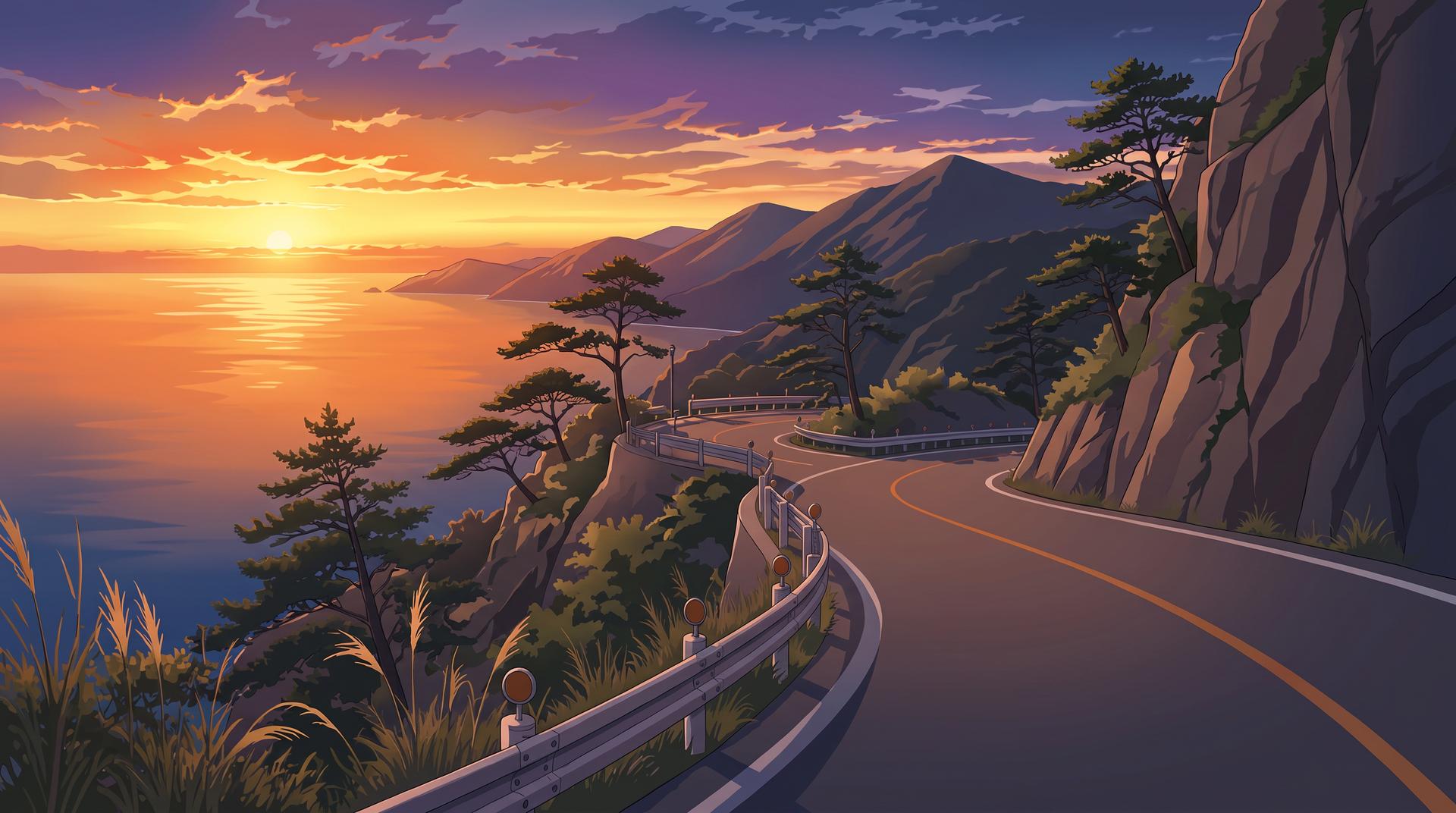
84° FOV low tracking shot in a rain-soaked neon city underpass at midnight. @image4 races through standing water as the camera travels inches above the wet pavement beside its front wheel. Water explodes outward, neon reflections stretch across the ivory body and the headlights cut through rain mist.
The camera sweeps ahead of the car and turns backward as @image4 charges directly toward the lens.
1.8s SMASH CUT
1.8s–3.6s — CUT 2
18° FOV intimate close-up on an empty elevated train platform during blue hour. @image1 stands alone holding her helmet against her hip. Wind from a passing express train drives her hair and loose racing suit sleeves across the frame.
The camera slowly pushes toward her face. Her eyes follow the blurred train windows, her lips tighten for a moment, then her expression settles into quiet determination.
3.6s HARD CUT
3.6s–5.4s — CUT 3
63° FOV dynamic orbit inside a dark industrial workshop illuminated by hanging work lights and showers of orange welding sparks. @image3 stands over a detached racing engine mounted on a steel work stand.
She pulls down protective goggles, spins a wrench in one hand and catches it cleanly. The camera circles from behind the engine to a low frontal hero angle. She looks up through drifting sparks and gives a playful, confident grin.
5.4s MATCH CUT
5.4s–7.2s — CUT 4
29° FOV stabilized medium close-up on an empty airport runway at twilight. @image2 walks directly toward the cobalt-blue @image5 parked beneath intense runway lights.
The camera retreats smoothly in front of him while wind moves his racing suit and midnight-blue hair. He stops beside the car, pulls his glove tight with his teeth and looks past the camera with a restrained competitive half-smile.
7.2s WHIP CUT
7.2s–9.5s — CUT 5
107° FOV aerial ultra-wide shot over a brilliant white salt flat beneath towering storm clouds. @image4 and @image5 race side by side across the reflective surface at extreme speed.
The camera dives from high above, rolls into a banked chase angle and accelerates between the two cars. Thin sheets of water spray behind both vehicles, reflecting the ivory, crimson and cobalt paint across the ground.
@image4 moves ahead by half a car length while @image5 remains locked beside it.
9.5s HARD CUT
9.5s–11.3s — CUT 6
47° FOV warm handheld medium shot at a tiny late-night roadside ramen stand beneath red paper lanterns. @image1, @image2 and @image3 sit shoulder to shoulder at the narrow counter in casual versions of their reference clothing.
@image3 laughs openly while gesturing with chopsticks. @image2 tries to remain composed but begins to smile. @image1 nearly spits out her drink, covers her mouth and laughs with them.
The camera drifts sideways behind rising steam, catching their expressions through layers of warm haze and lantern light.
11.3s SMASH CUT
11.3s–13.2s — CUT 7
29° FOV surreal underwater close-up in a dark blue swimming pool. @image1 floats beneath the surface wearing her black team shirt, with her chestnut hair spreading around her face. Her racing helmet drifts beside her.
Bright bands of sunlight ripple across her face. Small bubbles rise from her lips as she opens her amber eyes and reaches toward the glowing surface above. The camera rotates slowly around her while fabric and hair move in the water.
13.2s HARD CUT
13.2s–15.0s — CUT 8
84° FOV high-speed tunnel hero shot. @image4 and @image5 race through a long concrete tunnel lined with repeating amber lights. The camera travels backward between the cars as both close the distance rapidly.
The camera rises over their roofs, accelerates forward and bursts out of the tunnel into brilliant white morning light. End on continuing forward motion as the two cars remain side by side and the frame floods with sunlight.
CAMERA DIRECTION
Use highly dynamic opening-sequence cinematography with aggressive contrasts in scale, angle, motion and lens character.
Racing shots feature road-level tracking, rapid aerial dives, rolling chase movement, strong parallax and large spatial sweeps. Character shots use intimate close-ups, controlled orbiting movement, expressive foreground occlusion and dramatic pushes toward the face.
Every cut changes both shot size and camera behavior. Maintain clean compositions with deliberate open areas suitable for credits added later in post-production.
PERFORMANCE
@image1 combines focused competitive intensity with visible vulnerability and warmth. Her acting shifts through precise eye movement, tightened lips, controlled breathing and spontaneous laughter.
@image2 appears composed and self-controlled. His confidence is expressed through posture, small changes around the eyes and restrained half-smiles.
@image3 brings physical energy, humor and warmth. Her movements are quick, practical and playful, with clear hand gestures and expressive reactions.
Each character receives a distinct visual and emotional hero moment. Acting remains grounded and readable even during very short shots.
VEHICLE PHYSICS
Both cars carry convincing weight, suspension movement, tire compression and aerodynamic stability. Acceleration settles the rear suspension. Braking transfers weight forward. Cornering loads the outside tires.
Rainwater, salt-flat spray, tunnel dust, tire haze, heat shimmer and reflected light respond physically to vehicle speed and road contact.
Preserve mechanically correct wheel rotation, steering direction, body movement and ground contact.
LIGHTING AND COLOR
The neon underpass uses cool cyan and magenta reflections across wet asphalt with hard white headlights.
The train platform uses pale blue dawn light, silver edge lighting and blurred warm train windows.
The workshop uses deep charcoal shadows, focused work lights and orange welding sparks.
The runway uses cobalt twilight, hard runway lights and soft reflections across @image5.
The salt flat uses brilliant white ground reflections beneath dark blue-gray storm clouds.
The ramen stand uses warm red lantern light, rising steam and soft amber skin tones.
The underwater shot uses deep blue shadows and moving white sunlight patterns.
The tunnel finale uses repeating amber lights followed by brilliant white morning light.
AUDIO
Use an original high-energy instrumental anime-opening track combining fast drums, melodic electric guitar, bright synthesizer arpeggios and an emotional rising chord progression.
Synchronize engine revs, turbo airflow, gear shifts, tire spray, passing train noise, workshop tools, welding sparks, runway wind, ramen-shop ambience, underwater bubbles and tunnel reverberation with the montage.
Let environmental sounds briefly rise during character moments before the music drives into the next cut.
STYLE
Premium cinematic late-1990s to early-2000s theatrical OVA anime. Traditional hand-drawn 2D cel animation with crisp expressive linework, sophisticated color segmentation, detailed mechanical drawing, richly painted backgrounds, dramatic foreshortening and polished effects animation.
Use variable frame timing: restrained emotional acting on twos, racing action on ones, held character poses, wide spacing between vehicle keyframes, directional smears, speed lines and brief graphic impact frames.
The montage feels energetic, aspirational, emotional and deliberately non-narrative—an assortment of iconic moments from an imagined racing anime.
OUTPUT SETTINGS
15 seconds, 16:9, high-detail theatrical anime finish, controlled motion blur, sharp silhouettes and consistent cel-shaded color segmentation.
POSITIVE LOCKS
Maintain the exact lead driver from @image1.
Maintain the exact rival driver from @image2.
Maintain the exact chief mechanic from @image3.
Maintain the exact number 17 car from @image4.
Maintain the exact number 08 car from @image5.
The lead driver is always associated with @image4.
The rival driver is always associated with @image5.
Preserve every character’s face, hairstyle, body proportions, clothing and accessories across all shots.
Preserve both cars’ body shapes, paint schemes, numbers, wheels, wings and cockpit designs across all shots.
Each cut presents a separate location and independent opening-sequence image.
All characters, vehicles and environments remain traditionally drawn 2D cel-shaded anime throughout the montage.